Understanding VPN Routers for Home
In an increasingly interconnected world, safeguarding your online presence is more crucial than ever. This is where a vpn router for home becomes essential. By routing your entire home network through a Virtual Private Network (VPN), these devices offer a comprehensive layer of security and anonymity. In this article, we will explore what a VPN router is, its benefits, and essential features to consider when selecting one for personal use.
What is a VPN Router?
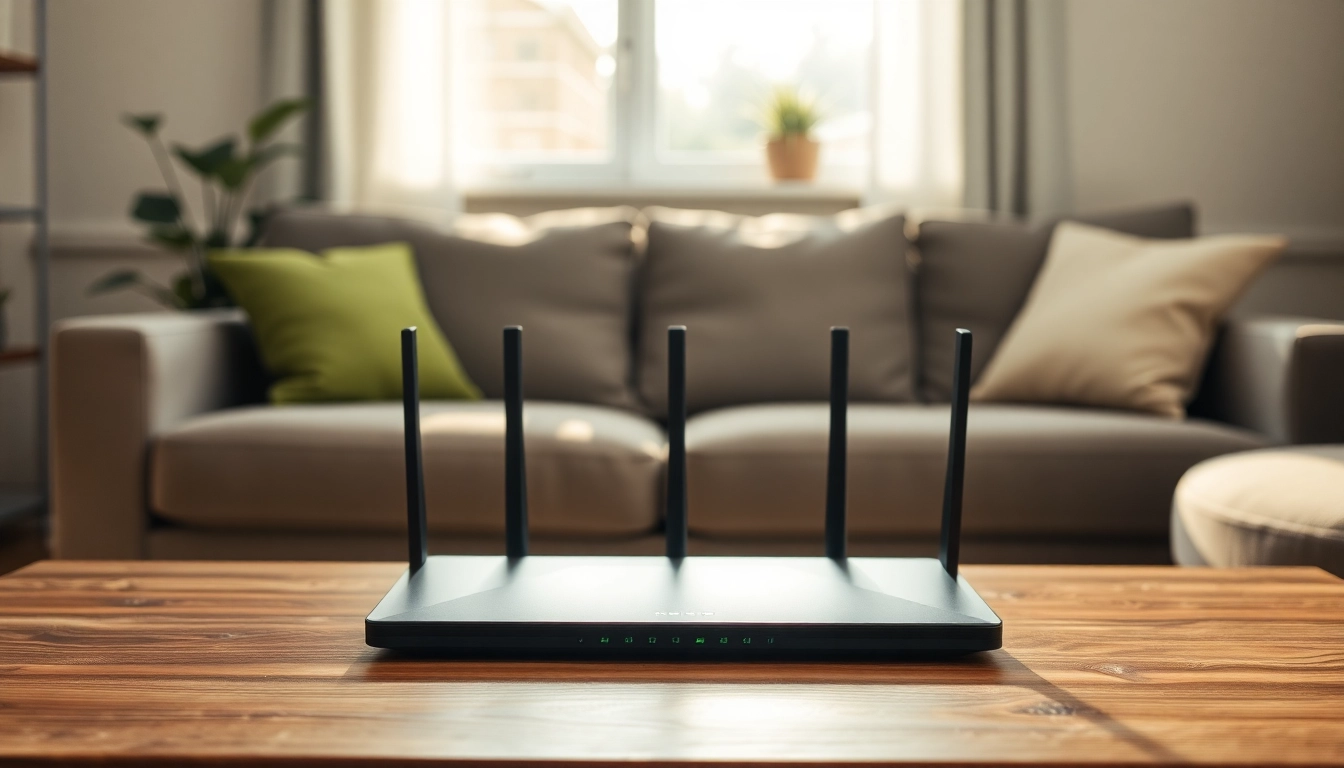
A VPN router is a specialized networking device that connects multiple devices to a VPN simultaneously. Unlike a traditional router that simply routes traffic between your home network and the internet, a VPN router encrypts all the outgoing and incoming data, providing an extra layer of protection. This encryption masks your IP address, ensuring more privacy when you browse the web, stream, or engage in online activities. Additionally, a VPN router can manage connections for various devices, ensuring that protection is uniformly applied across all gadgets.
Benefits of Using a VPN Router for Home
Using a VPN router for home comes with numerous benefits:
- Enhanced Security: All devices connected to a VPN router benefit from encryption, making it difficult for hackers to intercept information.
- Privacy Protection: A VPN hides your IP address and location, providing you with anonymity while browsing.
- Access to Global Content: Bypass regional restrictions and access content from various geographic locations.
- Seamless Connection: Easily connect multiple devices without the need for individual VPN configurations.
- Safe Public Wi-Fi Usage: Protect your devices from security threats while connecting to public Wi-Fi hotspots.
Key Features of a VPN Router for Home
When selecting a VPN router, certain features stand out as particularly important:
- VPN Protocol Support: Look for routers that support multiple VPN protocols such as OpenVPN, L2TP, and PPTP for flexibility.
- Speed and Performance: Opt for routers with high processing power to handle encryption without slowing down your internet speed.
- Ease of Configuration: A user-friendly interface simplifies the setup process, making it accessible to non-tech-savvy users.
- Security Features: Adequate firewall protection and additional security measures are crucial for a robust home network.
- Device Compatibility: The router should work well with various VPN services and personal devices.
Choosing the Right VPN Router for Home
Selecting the perfect VPN router can be overwhelming given the range of options available. Understanding what to look for can help you make an informed decision.
Factors to Consider When Selecting a VPN Router
To choose the right vpn router for home, consider the following:
- Your Internet Speed: Assess the maximum internet speed provided by your ISP to ensure compatibility with the router's capabilities.
- Number of Devices: Plan for the number of devices you intend to connect and choose a router that can handle simultaneous connections.
- VPN Services: Ensure the router is compatible with your preferred VPN service.
- Budget: Consider how much you are willing to spend, as prices can vary significantly based on features and capabilities.
Top Features to Look For in a VPN Router for Home
Key features to prioritize while selecting your vpn router for home include:
- Dual or Tri-Band Support: This allows you to connect multiple devices without impacting performance.
- Advanced Security Protocols: Look for routers that support strong encryption methods for maximum protection.
- Quality of Service (QoS): This feature prioritizes traffic flows, giving bandwidth preference to critical applications.
- Firmware Updates: Regular updates ensure security vulnerabilities are patched timely.
Budget Considerations for a VPN Router for Home
Budget is often a deciding factor when selecting a VPN router. While premium models can offer advanced features and speed, there are also budget-friendly options that provide adequate protection for a home network. It is essential to evaluate what functionality is necessary and what you can compromise on.
Setting Up Your VPN Router for Home
Once you have selected the right router, setting it up correctly is crucial for maximizing its benefits. Here’s a step-by-step guide to assist you.
Step-by-Step Installation Guide
- Unbox and Connect: Unpackage your VPN router and connect it to your modem using an Ethernet cable.
- Power On: Plug in the router and turn it on. Wait for the lights to stabilize.
- Access Settings: Connect to the router through a computer or device. Typically, this involves typing the default IP address into your web browser.
- Log In: Enter the default username and password, usually provided in the setup manual.
- Configure VPN Settings: Navigate to the VPN section of the router settings and enter your VPN provider’s details.
- Connect Devices: Once the VPN settings are saved, connect your devices to the router’s network.
Configuring Your VPN Settings
Configuration can vary based on the VPN protocol you are using. For most popular VPNs, ensure you enter the correct server addresses, encryption settings, and authentication credentials. It is crucial to periodically check and update these settings as needed.
Common Troubleshooting Tips
Encounters with connectivity issues can occur, especially with VPN usage. Here are some troubleshooting tips:
- Restart the router and try reconnecting.
- Verify that your VPN credentials and settings are accurate.
- Ensure the router firmware is up-to-date.
- Check your internet connection without the VPN to determine if the issue is with the VPN or the ISP.
Maximizing the Performance of Your VPN Router for Home
To get the best out of your vpn router for home, it is essential to focus on performance optimization strategies. Below are some effective methods.
Enhancing Speeds and Connectivity
Internet speed with a VPN can be a concern but can be optimized by:
- Choosing the Right Server: Connect to VPN servers that are geographically closer to minimize latency.
- Split Tunneling: Use split tunneling to allow some devices to connect directly to the internet without going through the VPN.
- Regularly Monitor Speeds: Use online speed tests to ensure you're getting optimal speeds from your VPN service.
Securing Your Home Network
Beyond merely using a VPN, implement additional security measures such as:
- Strong Passwords: Ensure both the router's admin panel and Wi-Fi network have strong, unique passwords.
- Firewall Settings: Adjust settings for optimal security without compromising usability.
Maintenance Tips for Optimal Performance
Regular maintenance is key to sustained performance. Here are some tips:
- Update router firmware regularly to patch security vulnerabilities.
- Periodically reset and reconfigure settings to enhance performance.
- Engage in proper ventilation of the router to prevent overheating and related performance degradation.
FAQs About VPN Routers for Home
Is a VPN router good for home use?
Yes, a VPN router is ideal for home use as it secures multiple devices, enhances privacy, and allows easier content access.
What is the best VPN router for homes?
The best option varies based on needs, but consider factors like speed, security features, and compatibility with your VPN provider.
Can I use multiple devices with a VPN router?
Absolutely! A VPN router allows multiple devices to connect and benefit from a secure connection simultaneously.
Do VPN routers slow down my internet?
Some slowdown is possible due to encryption. However, choosing a high-performance router and server can minimize this effect.
How do I update my VPN router's firmware?
Log into the router’s admin panel, locate the firmware update section, and follow the prompts to download and install updates.