


Mastering Video Capture: Techniques and Tools for Quality Production
Understanding the Basics of Video Capture
Video capture is a fundamental process that enables the conversion of visual and audio stimuli into a digital format. For enthusiasts and professionals alike, understanding the nuances of video capture is essential for producing high-quality content that resonates with audiences. This comprehensive guide dives deep into the essentials of video capture, exploring everything from basic principles to advanced techniques.
What is Video Capture?
At its core, video capture is the process of digitizing traditional video content by converting incoming analog or digital signals into a format that can be processed, displayed, and edited on computers. This could involve capturing video from various sources such as cameras, VCRs, or even screen recordings, all of which require different methodologies and tools.
Types of Video Capture Methods
When discussing video capture, it’s important to distinguish between the various methods available:
- Analog Capture: This involves converting signals from older devices like VHS tapes or cameras into a digital format using capture cards or devices.
- Digital Capture: This method captures video directly from digital sources, such as HD cameras or mobile devices, often utilizing USB or HDMI connections.
- Screen Capture: Software tools create a digital copy of real-time screen content, widely used for tutorials and live presentations.
Choosing the Right Equipment for Video Capture
Selecting the appropriate equipment is critical for successful video capture. Factors to consider include the source of the video, the desired output quality, and the post-production requirements.
Common equipment includes:
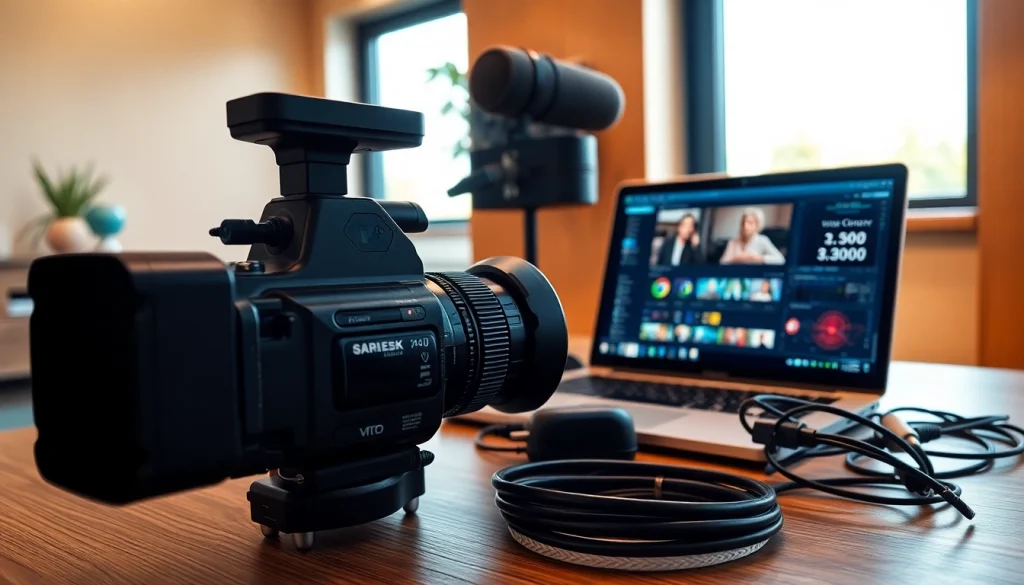
- Capture Cards: Essential for both analog and digital signals, these devices transfer data from cameras or other devices to your computer.
- Cameras: Depending on your needs, you might choose DSLR, mirrorless, or camcorder options for video capture.
- Microphones: Good audio quality is crucial; external microphones often outperform built-in camera audio.
Essential Tools for Video Capture
Hardware Requirements for Video Capture
The hardware you choose significantly influences the quality of your video capture. At a minimum, consider the following:
- High-resolution cameras that support your desired output format.
- Reliable capture devices that can handle the resolution and frame rate required.
- Storage solutions, such as high-capacity SSDs, to accommodate large video files.
Software Solutions for Efficient Video Capture
In addition to hardware, the right software plays a crucial role in video capture efficiency. Here are some highly recommended types of software:
- Video Capture Software: Programs like OBS Studio or Adobe Premiere Pro facilitate video capture with a range of customization options for settings.
- Editing Software: Post-capture, editing software helps in refining your footage, ensuring optimal presentation and quality.
- Sound Editing Tools: Addressing audio issues during capture is important. Programs like Audacity provide excellent audio editing capabilities.
Comparative Analysis of Video Capture Devices
When selecting a video capture device, it’s beneficial to perform a comparative analysis. Factors to consider include:
- Codec Support: Ensure compatibility with video and audio formats you plan to use.
- Usability: User-friendly interfaces can significantly reduce time spent setting up.
- Cost Efficiency: Evaluate quality versus price; sometimes, mid-range options provide better value.
Best Practices for Effective Video Capture
Setting Up Your Space for Optimal Video Capture
Creating the right environment for video capture is key to achieving professional-quality results. Factors to consider include:
- Background: A clean, uncluttered background can help keep the focus on the content.
- Distance from Windows: Natural light can be beneficial, but controlling it is crucial to avoid harsh shadows.
- Stability: Ensure that your camera is securely positioned to avoid shaky footage.
Lighting Techniques That Enhance Video Capture
Proper lighting dramatically affects video quality. Here are some tips to optimize your lighting:
- Three-Point Lighting: This classic method involves using a key light, fill light, and back light to create depth and dimension.
- Natural Light Utilization: If using sunlight, try to film during the golden hours (early morning or late afternoon) for softer lighting.
- Lighting Control Tools: Softboxes and reflectors can help diffuse harsh light, offering a more pleasing visual effect.
Tips for Clear Audio During Video Capture
Audio quality is just as important as video quality. To achieve clear audio capture, consider the following:
- Use External Microphones: They provide significant sound quality improvements over built-in options.
- Monitor Audio Levels: Always check audio levels before starting to ensure you capture sound without distortion.
- Reduce Background Noise: Use soundproofing materials in your recording space to minimize unwanted sounds.
Advanced Techniques in Video Capture
Using Multiple Cameras for Dynamic Video Capture
Incorporating multiple camera angles can elevate your video production quality. Here’s how to effectively use multiple cameras:
- Coverage: Multiple angles can capture different aspects of the same shot, enhancing engagement.
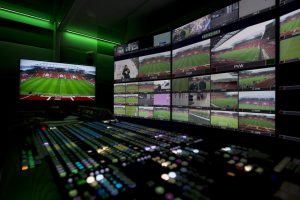
- Switching Techniques: Consider using a video switcher for seamless transitions between camera feeds during recording.
- Syncing Audio and Video: Ensure all feeds are synced to avoid discrepancies in post-production.
Incorporating Live Streaming into Your Video Capture Setup
Live streaming adds a real-time engagement aspect to video capture. Implementing live streaming requires:
- Stable Internet Connection: A wired connection is often preferable to ensure high-quality streaming without interruptions.
- Engagement Tools: Utilize chat features to interact with your audience while streaming, fostering community.
- Platform Knowledge: Familiarize yourself with the streaming platform you’ll be using for optimal integration.
Post-Production Tips for Video Capture Excellence
Post-production is where the magic happens. To refine your video, consider the following tips:
- Editing Software Utilization: Invest in software that offers robust editing capabilities, allowing you to cut, trim, and enhance your video.
- Color Correction: Adjusting colors can make your footage pop, drawing viewers’ attention more effectively.
- Adding Music and Effects: Soundtracks and visual effects should complement your video without overpowering the main content.
Measuring Success in Video Capture
Evaluating Video Quality Metrics
To gauge the success of your video capture, it’s vital to evaluate various quality metrics. Key considerations include:
- Resolution: Higher resolutions lead to clearer images but require more processing power and storage.
- Frame Rate: A higher frame rate can make motion appear smoother; however, balance this against file size.
- Audio Clarity: Clear audio without distortion is crucial for viewer retention and engagement.
Common Challenges and Solutions in Video Capture
Video capture may present various challenges. Here are some common issues and their solutions:
- Poor Lighting: Use portable LED lights to improve visibility in dark environments.
- Audio Interference: Invest in quality microphones and consider using audio recording software to separate audio from video.
- Inconsistent Frame Rates: Ensure all devices utilize the same frame rate settings to avoid post-production headaches.
Staying Current with Video Capture Trends and Technology
The video capture landscape is constantly evolving. To remain relevant, consider the following:
- Follow Industry Leaders: Stay updated with developments from industry experts and trendsetters.
- Online Workshops and Tutorials: Continuous learning through professional development opportunities is crucial in this fast-paced field.
- Community Engagement: Participate in forums and online communities to share tips and gain insights on current best practices.